

For an inside look to all points and points activity, check out the Points Tab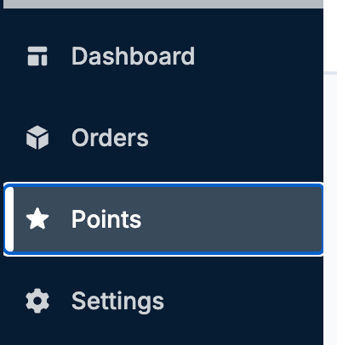
At the very top, you’ll see three different tabs

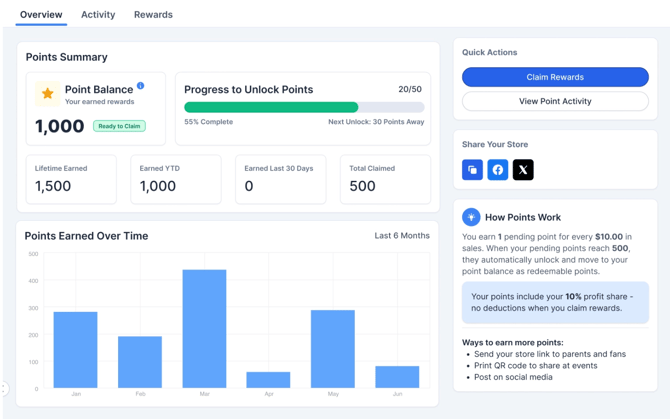
The Overview Tab -
The overview gives you general visibility into:
- Your points balance
- Points progression
- Review of how points work
- And the quick action of claiming your points as rewards
The Activity tab -
The Activity tab is where you can get a much deeper look into the points you are earning, including any points that expire or have been claimed.
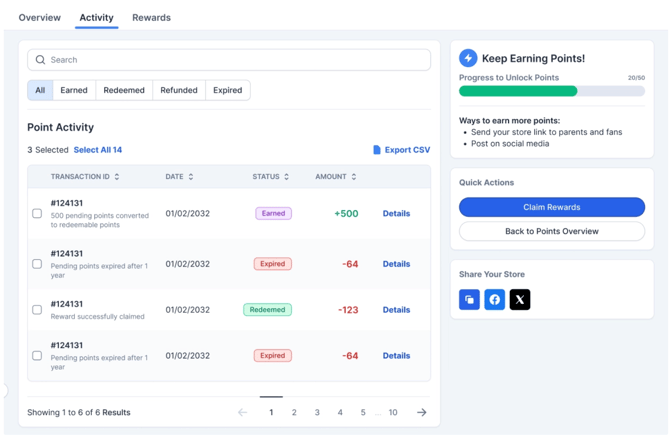
If you click on the Details that is on the right of an activity, you’ll be able to see a breakdown of the points activity including if the points were earned, redeemed, expired, or if they were refunded.
The Rewards tab -
The Rewards tab is where you can withdrawal your points in the form of a check.
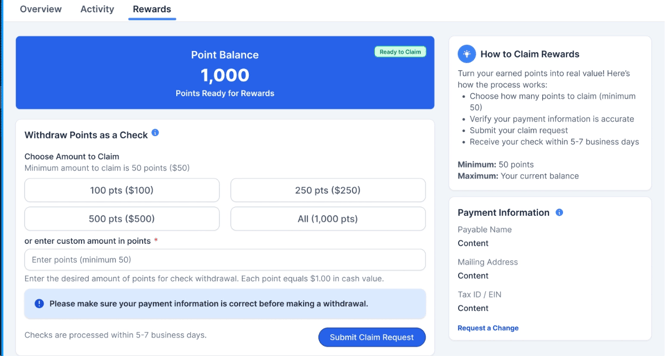
All you’ll need to do is select the desired amount to withdrawal, or type in a custom amount. From there, you will confirm the payable organization and request the check address. Please note, all claims are processed promptly, and checks are delivered within 2-3 weeks.
If you have any questions, please feel free to reach out to our support team by emailing support@snap.store.