

As a Store Admin, your dashboard has recently been fully redesigned with a variety of new improvements!
This article provides a general overview of the updated Store dashboard. For details on the other tabs, please refer to the articles linked below:
- Insight into the Order tab, click here
- See all point activity and withdrawal of points, click here
- And to deactivate your Store or change product offerings, click here
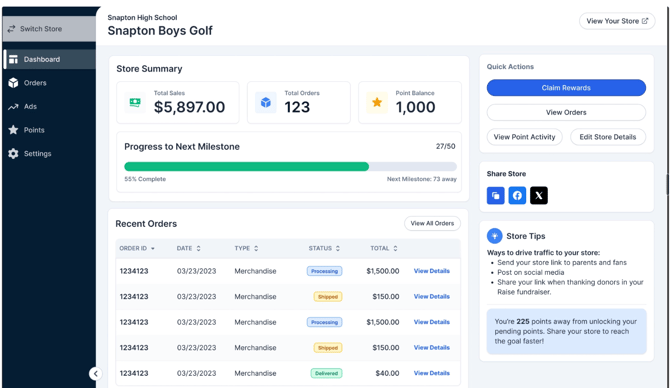
The main Store dashboard gives you a quick snapshot of total points earned, overall progress, and your most recent orders.
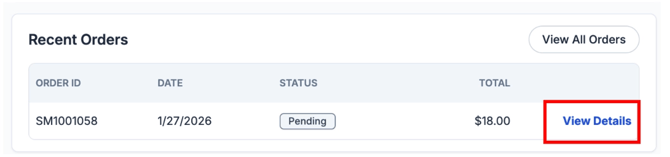
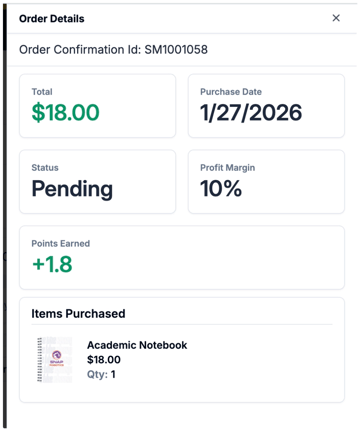
For any recent orders, if you click the Details, a slide will appear with a breakdown of the order
If you have any questions about how to manage your dashboard as a Store Admin, please reach out to our support team at store.support@snapraise.com.