
You can add external links to your team page within the app by following the steps outlined below:
- Click App Content on the left-hand side
- Click Teams
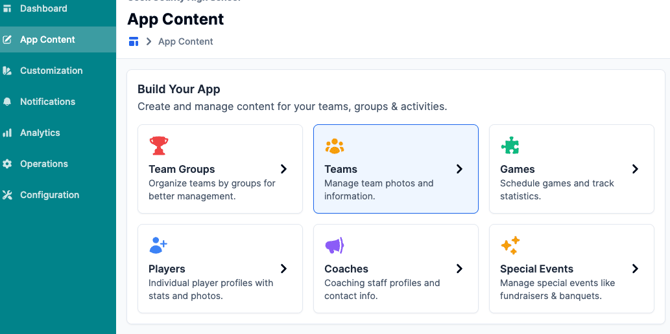
3. Click into the team you want to add a link to
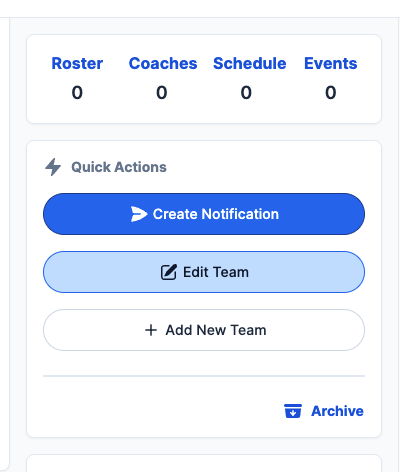
4. Click Edit team
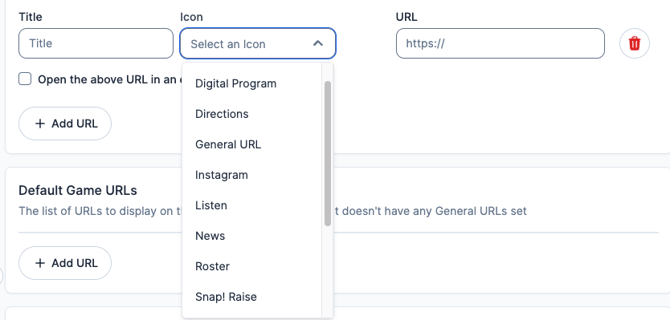
5. Scroll down and locate the URL section to add your link. Click "Add URL".
6. Select an icon (optional) and add your link.
7. Click "Save Team" on the right-hand side once finished! This will show on the app once a team is selected in the app:
%2009.34.35%20(1).png?width=352&height=765&name=Captura%20de%20pantalla%202026-09-08%20a%20la(s)%2009.34.35%20(1).png)
Still have questions? Please give us a call at 276-531-9260 or email us at fanx.support@snapraise.com with additional inquiries!