
You can receive your fundraiser earnings directly in your organization's bank account by setting up direct deposit through your dashboard.
Direct deposit is the fastest way to receive your funds! Follow the steps below to securely link your organization's bank account and get started.
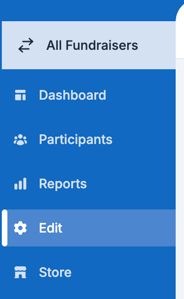
1. On the left hand side of the campaign dashboard, click Edit
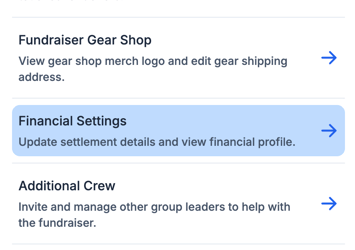
2. Click Financial Settings
3. Next to "Settlement Method", click Edit

4. Click Direct Deposit, and click Save

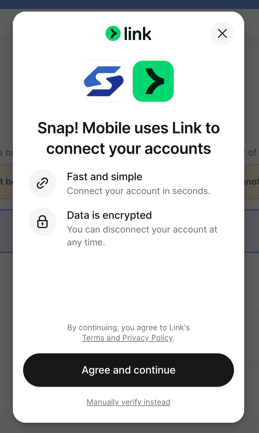
5. From here, you can either log in to your directly to set up Direct Deposit
-
-
-
-
-
- Clicking "Agree and Continue" will route you to select your Organizations Banking partner and login to your account directly
-
-
-
-
-
-
-
-
-
- If you would rather type in the Routing and Account number directly, you can select "Manually Verify Instead"
-
-
-
-
6. Once the account has been entered, you will be prompted to select Daily, Weekly, or one deposit at the end of the campaign
- You can always change this frequency even after the campaign has started if you change your mind
Reminder: It is required that the bank account added matches the payable organization on file.
If you have additional questions, please contact our support team at support@snapraise.com or by phone at (276) 531-9260.