
There are two scenarios in which a user would expect to receive an email regarding the rewards program:
- Account Creation
- Account Password Resets
If a user is having trouble receiving either of these emails, see the steps below for troubleshooting:
Manually Confirm Rewards User
If a user isn’t receiving the rewards confirmation email, then you can manually confirm a user’s email in the portal. See steps below:
- From the sidebar navigation, click the ’ Rewards’ tab.
- Go to the ‘Pending’ tab and find the user you’re trying to authenticate
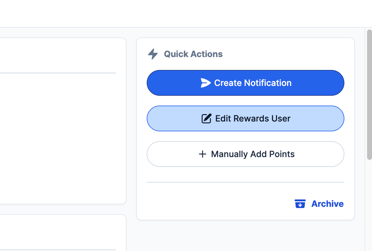
- Click the "Edit Rewards User" button:
- Click the ‘Manually Confirm Email’ button
- Save the user – they should then be brought to the account information page on the app and be able to continue setting up their profile
If the issue still persists, please submit a ticket to FanX Support via fanx.support@snapraise.com.
User is not receiving Password Reset email:
- Have user check junk/spam folder
- Have user contact Customer Support. Support can send a password reset to their phone number, if on file, or their email address.
If the email is not found, please submit a ticket to FanX Support via fanx.support@snapraise.com.