
To view the self-guided training for FanX Trivia, use the training link below:
Begin Training: Create & Publish a Trivia Game
In order to set up Trivia, start by logging into your portal HERE.
1. Start by visiting the App Content Tab in the left-hand navigation panel to interact with the Trivia Games Module.
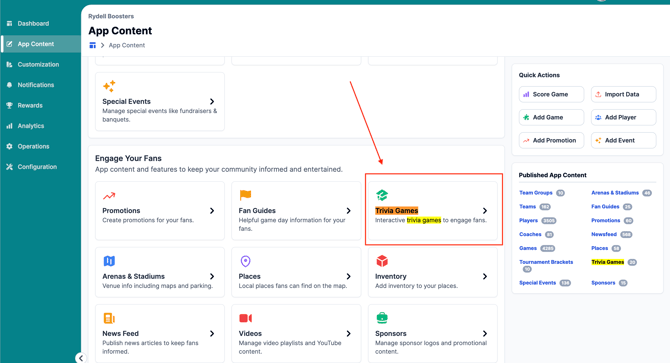
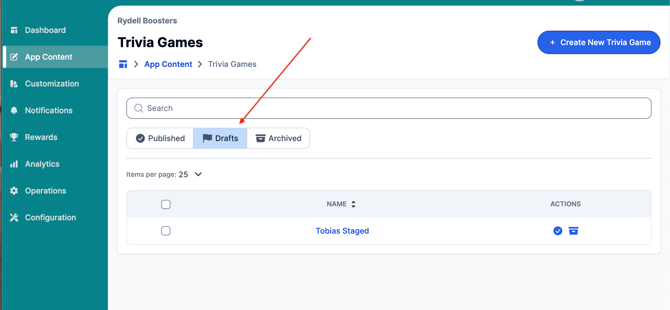
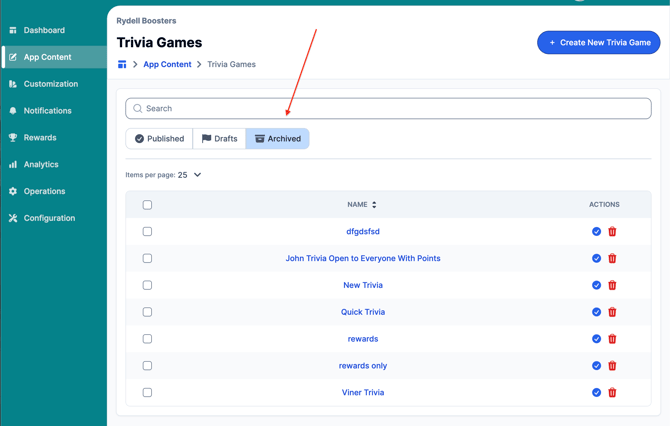
2. Upon opening Trivia Games, you will be able to search and see Published, Drafts, and Archived Games via Search.
Creating a New Trivia Game
3a. For creating a Trivia Game, select the + Create New Trivia Game button at the top right.
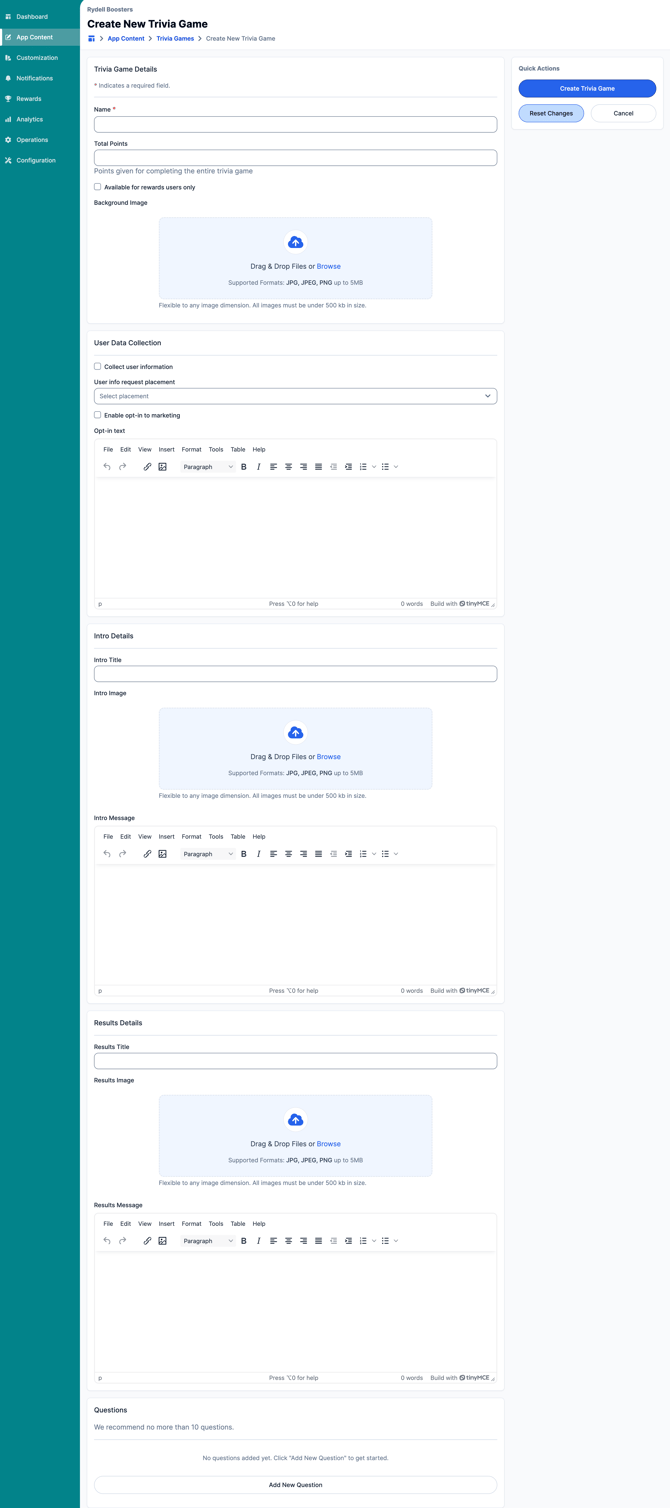
When creating a New Trivia Game, you will be able to enter and customize all of the following details:
Trivia Game Details
- Name
- Total Points given for completing the entire trivia game
- Toggle to identify if the game is only available for reward users
- Background Image for Trivia Game.
- Supported Formats: JPG, JPEG, PNG up to 5MB
Flexible to any image dimension. All images must be under 500 kb in size.
- Supported Formats: JPG, JPEG, PNG up to 5MB
User Data Collection
- Toggle to collect user information
- Select when User data is collected
- Enable opt-in to marketing + opt-in messaging
Intro Details: Title, Image, & Message
Results Details: Title, Image, & Message
Questions
- We recommend no more than 10 questions.
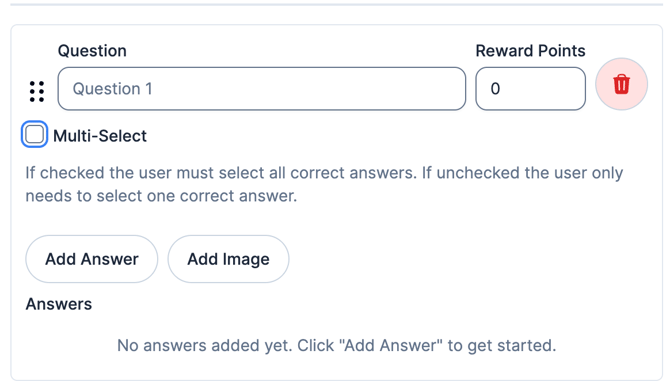
- Questions can be assigned reward points
- Questions can be Multi-Select, which notates that all correct answers must be selected.
- You can add an image to the question.
Editing an Existing Trivia Game
3b. For editing a Trivia Game, select the game you wish to edit by clicking on the title of the game in blue. You will then be able to view/edit the Trivia Game Details of that specific game.
- Click the Published category to view published games
- Click the Drafts category to view games that have not been published and are not archived.
- Click Archived to view games that have been archived
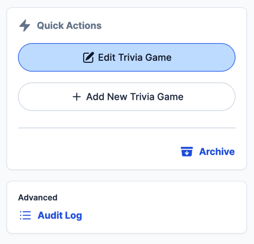
Viewing Draft Trivia Games
To unarchive a Trivia Game, select the game you wish to archive by clicking on the title of the game in blue.
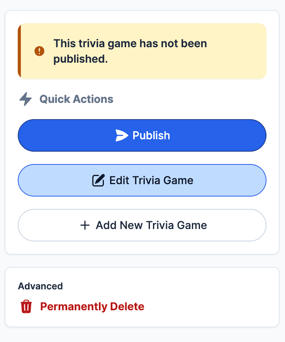
When viewing a draft game, you will be able to denote that it is a draft game by the "This trivia game has not been published" message in the quick actions menu.
Viewing an Archived Trivia Game
To unarchive a Trivia Game, select the game you wish to archive by clicking on the title of the game in blue.
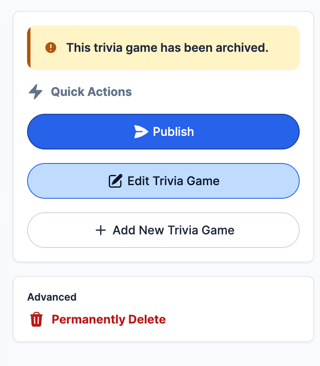
When viewing a draft game, you will be able to denote that it is a draft game by the "This trivia game has not been published" message in the quick actions menu.
Permanently delete a Trivia Game
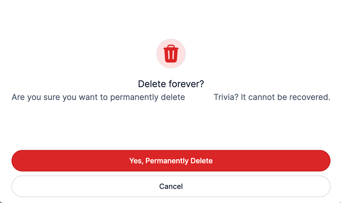
Archived trivia games can be permanently deleted. By permanently deleting a Trivia Game, you will no longer be able to republish the game or edit it.
Archived games can be used for reference in the future or republished. By permanently deleting, you will no longer have access to view the game or edit it.
Still have questions? Please submit a ticket to FanX Support via fanx.support@snapraise.com or reach out to your Account Manager.