
How to Create and Manage an Amazon Wish List
Amazon Wish Lists make it easy to save products, organize purchases, and share recommendations with others. Follow the steps below to create and manage your lists.
Watch the tutorial 🔗 here.
Create a Wish List
- Sign in to your Amazon account.
- Hover over Accounts & Lists in the upper-right corner of the page.
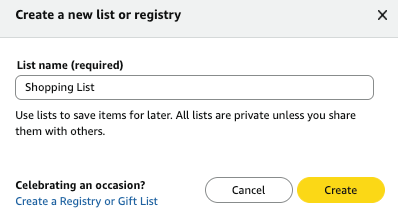
- Select Create a List.
- Enter a name for your list.
- Choose your preferred privacy setting:
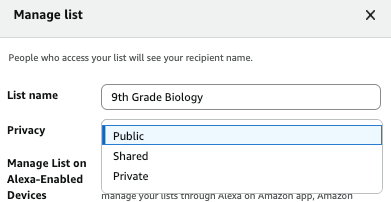
- Private: Only you can view the list.
- Shared: Anyone with the link can access the list.
- Public: The list can be found by other Amazon users.
- Click Create List.
Add Items to Your List
Add an Item While Browsing
- Search for the item you would like to save.
- Open the product details page.
- Select Add to List beneath the purchase options.
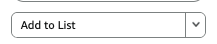
- Choose the list where you would like to save the item.
Add an Item from Your Cart
- Open your Amazon cart.
- Locate the item you want to save.
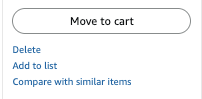
- Select Save for Later, depending on the available options.

- Select Add to List.
Manage Your Wish List
To edit your list settings:
- Hover over Accounts & Lists and open the desired list.
- Select Manage List.
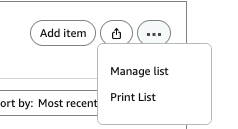
- Update your list preferences as needed.
From the Manage List menu, you can:
- Rename your list.
- Adjust sharing permissions.
Organize List Items
After adding items to your list, you can:
- Add notes or comments.
- Remove items you no longer need.
Share Your Wsh List
- Open the list you want to share.
- Select Invite
- Choose whether recipients can:
- View the list only.
- View and edit the list (recommended use only for other teachers or administrators).
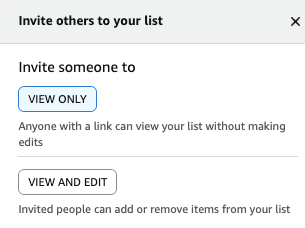
- Copy and share the generated link.
Frequently Asked Questions
Can I change a list’s privacy settings later?
Yes. Privacy settings can be updated from the Manage List menu. Make sure your list is set to Public: View Only for the duration of your fundraiser!
Will Amazon notify me if an item’s price changes?
Amazon may display updated pricing when you view your list, but availability and pricing are subject to change.
Additional Information
Wish lists are linked to your Amazon account and can be accessed from both desktop and mobile devices. Changes made to your list will automatically sync across supported devices.
For additional resources, please refer to Amazon's Help & Customer Service Center.
Helpful articles: