

If a school is no longer part of your conference site, you can hide them from the website without deleting any historical data. Here's how to hide a school:
- Log into Leagues.
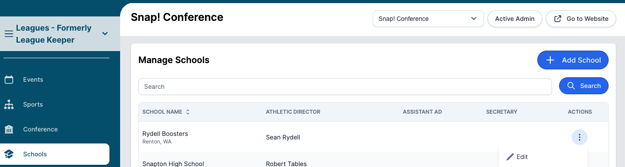
- Using the left hand navigation visit the "Schools" tab.

- Click the three dots on the right-hand side of the school and click "Edit"
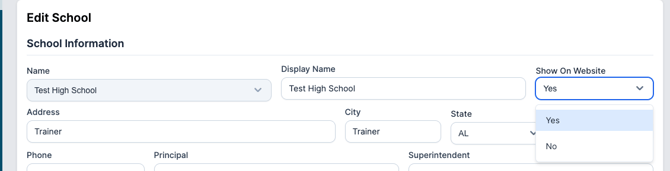
- Toggle "Show on Website" to "No" and save your changes! This will not delete historical data.
Need Additional Help with Leagues? For assistance with using the Leagues platform or if you encounter technical issues, please reach out to our support team through the help features within the platform or our designated support channels (via the helpdesk widget, emailing manage.support@snapraise.com, or by phone at 276-531-9260, ext 3.)