

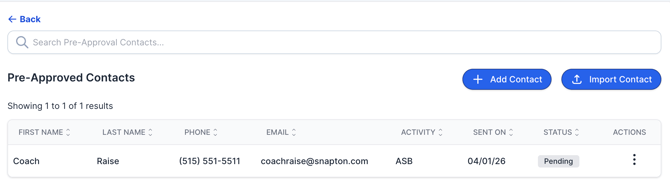
After you have sent your Pre-Approval invites, you will see a list of who has been sent pre-approvals. From here, you can:
Track Status
You will be able to see the status of each invite-
- Delivered: The email was successfully delivered to the recipient’s inbox.
- Pending: The email has not been delivered yet.
- Opened: The recipient has opened the email.
- Clicked: The recipient opened the email and clicked the sign-up button.
- Undeliverable: The email could not be delivered. The email address may need to be corrected.
Take Action
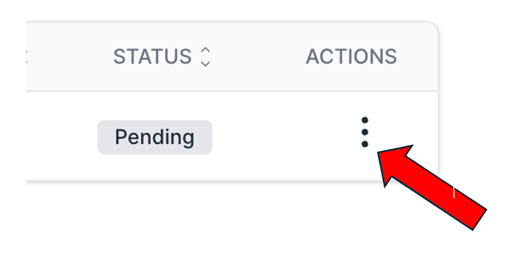
Click the three dots to quickly resend, edit, or delete an invite.
❗️If you update an email address, you’ll be prompted to resend the invite.
If you have any questions about pre-approvals, please email our team at support@snapraise.com.