
Group Leaders can now download and share a QR Code Flyer directly from their dashboard to help promote campaign sponsorships within their community.
Improved Sponsor Outreach
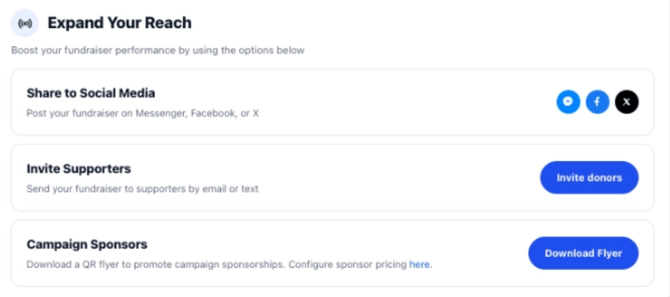
Under the Expand Your Reach section of the Group Leader Dashboard, users can download a printable QR Code Flyer designed to make sharing sponsorship opportunities easier.
The flyer can be shared digitally or printed for use at events, local businesses, community boards, and more.
How the QR Code Works
The QR code on the flyer directs supporters to the campaign’s Sponsor Landing Page, where they can learn more about the fundraiser and complete a sponsorship purchase.
Personalized Campaign Messaging
The flyer will automatically include the campaign’s donation usage messaging at the bottom of the page.
This allows supporters to quickly understand how sponsorship dollars will be used to support the group or organization.
Where to Find the Flyer
To download the flyer:
- Navigate to the Group Leader Dashboard
- Locate the Expand Your Reach section
- Select the option to download the QR Code Flyer
Once downloaded, the flyer can be shared however works best for your community outreach efforts.