
Follow these steps to add a YouTube Playlist to the Video Card on the Home Screen
1. From the sidebar navigation, click App Content and then Videos. Then, click "YouTube Playlist".
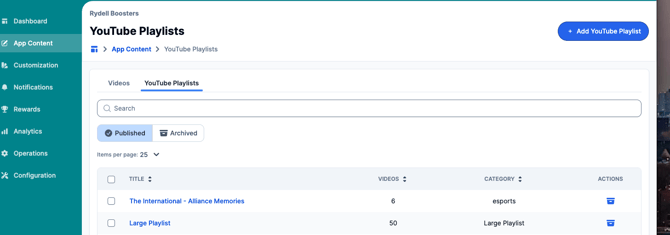
2. Click "Add Youtube Playlist.
3. Add relevant details here. Category for your playlists - this will be relevant if you have multiple playlists. For example: Boys Sports, Girls Sports, Fall Sports, Spring Sports.
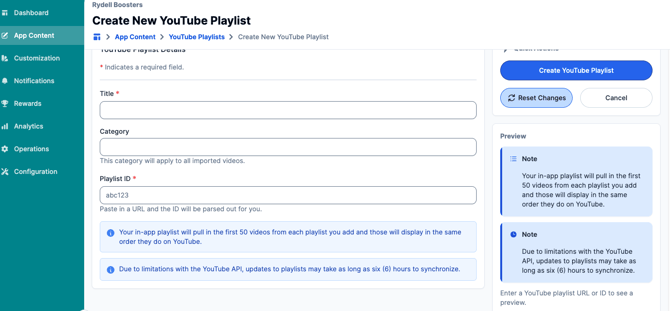
Your in-app playlist will pull in the first 50 videos from each playlist you add and those will display in the same order they do on YouTube.
4. Review all additional notices regarding playlists on the page and click "Create YouTube Playlist" to publish and save your changes.
Still have questions? Please submit a ticket to FanX Support via fanx.support@snapraise.com.